SQ QRA Square Database
Version 2.80 - 9 January 2017
Visual, map-based database
for squares worked and confirmed.
Note: - Further updates are planned, check back here from time to time.
World, Europe, USA and individual
Field (large square) maps.
Plain text file output of summaries,
for checking or awards, of squares confirmed and/or worked -
square, call, date worked, dx in km, sorted by field and square.
Summary maps can be printed or exported as .jpg files.
ADIF (Version3) and EDIF (Version 1) log-file import
facility.
Requires 1024 x 768 or larger VGA display,
Windows and Pentium 250MHz or better.
Works with Win 98, XP, Vista and Windows 7 and 10.
SQ uses all the screen - so you may need to minimise the taskbar to see
the lower edge of the screen.
Package includes manual in Word
format.
Free for private non-commercial
use.
Version 2.80 fixes a bug in ADIF import, adds a jpg graphic export button to the main map screen, and has some general cosmetic improvements. A revised manual is included.
Click here to download
the full SQ package, version 2.80
Unzip the contents of this this file to a temporary directory
and run setup, which will install the program.
IMPORTANT - do read the SQ.doc file before running the program!
If you already have version 2.x installed, then
just download the zip file containing the revised sq.exe
version 2.80, and copy over the existing one.
Please let me know of any
problems, and I'll do my best to resolve them.
Email
me!
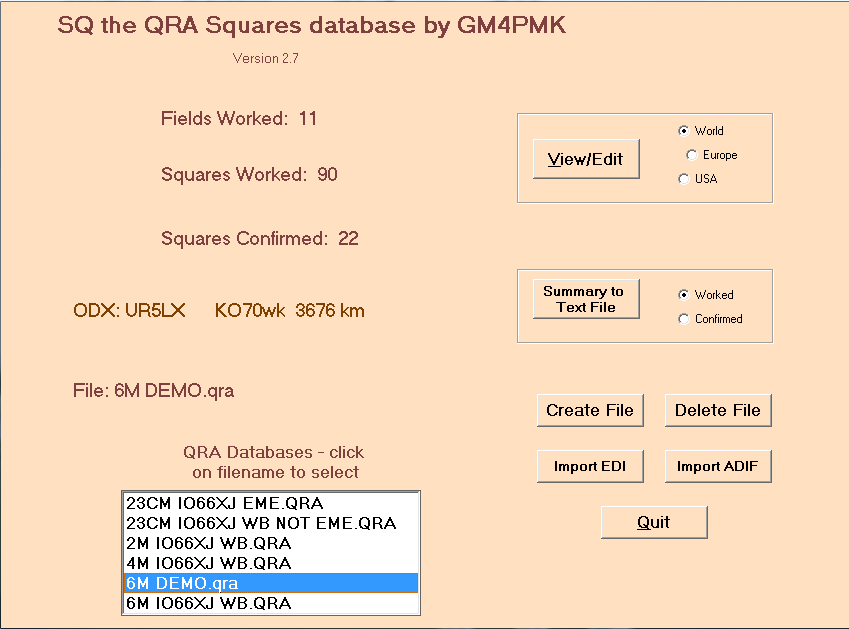
Some screenshots follow:
 ;
;
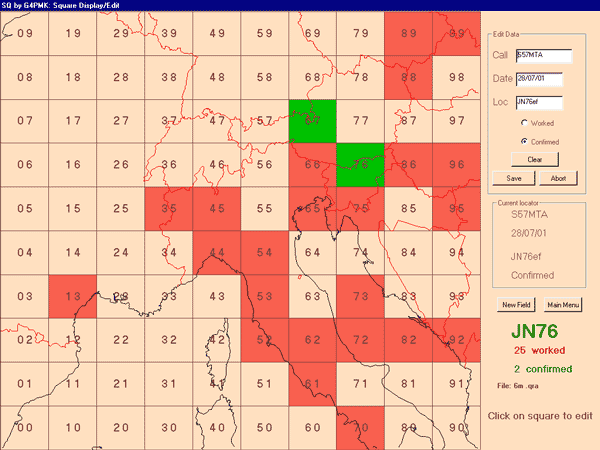
Sample Square Display/Edit screen, cropped for clarity
Small print: This software is © R P Blackwell. Map files
are via Roger Hedin's Great Circle Maps for Windows, originally from the
Central Intelligence Agency. This program contains/uses data placed in the
public domain by Fred Pospeschil and Antonio Riveria. Whilst care has been
taken in the production of this program, no liability is accepted for any
consequences as a result of using or installing this program. Use at your
own risk, and make sure you have backed up important data before installing.
Return
to GM4PMK's Marsport Homepage
Page revised 9 January 2017 by
GM4PMK